
Live: Recover from temporary failures automatically with Auto retry in Kissflow Integrations
We're excited to announce the launch of Auto retry in Kissflow Integrations, a feature that helps your integrations recover on their own when an external service fails temporarily.
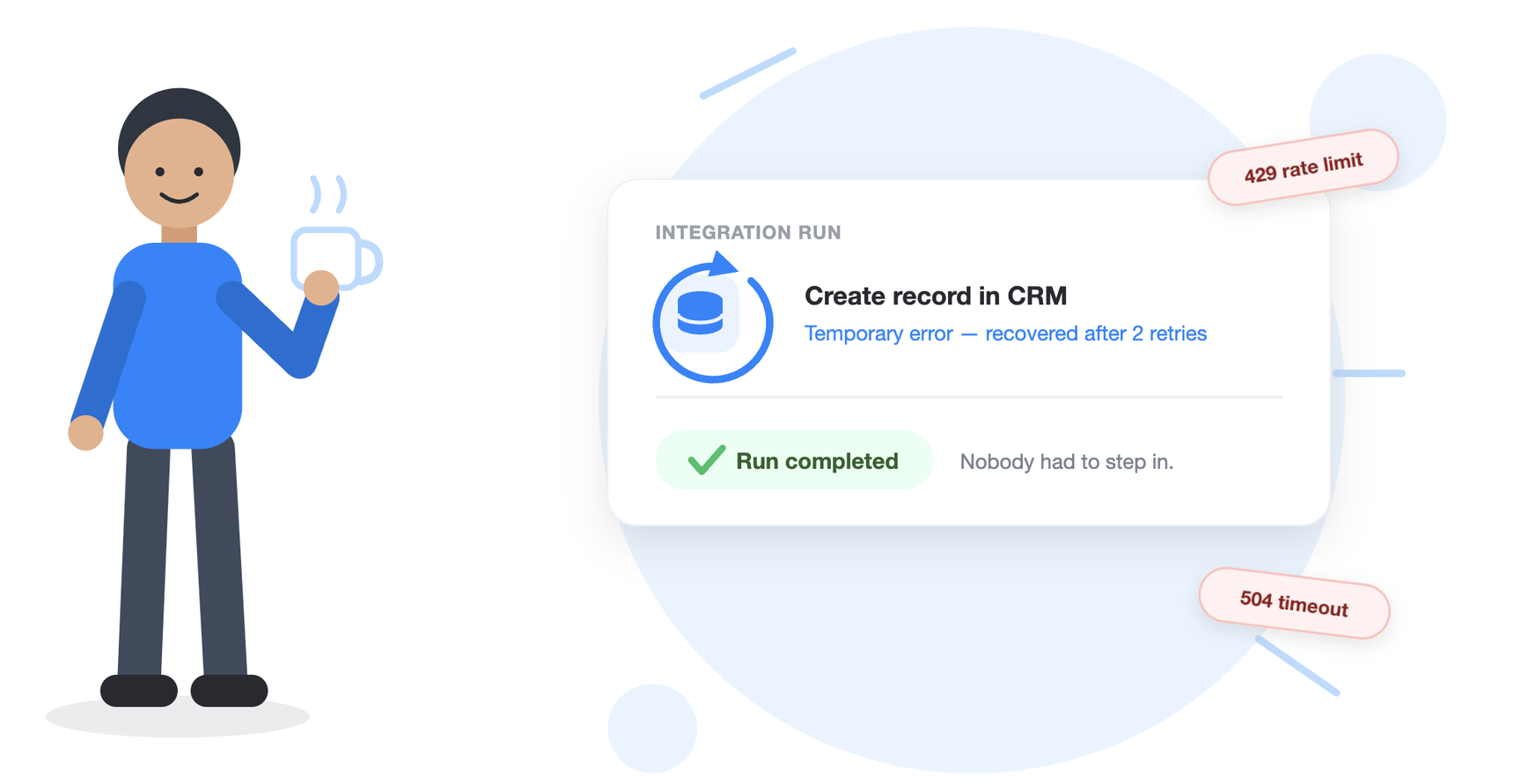
Previously, when an integration action failed due to a service timeout, a rate limit, or a brief unavailability, the run simply stopped. Someone had to notice the failure, open Run history, and rerun the step manually. Now, with Auto retry turned on, Kissflow retries the failed action automatically, up to four times over about three minutes, and the run continues on its own if one of those attempts succeeds.
Auto retry applies only to temporary errors: request timeouts, too many requests, server connection failures, service unavailable, and slow server responses. Validation and permission errors are not retried, since repeating them would fail the same way every time.
Example
Let's say you have an integration that creates a record in an external CRM every time a request is approved. The CRM enforces an API rate limit, and during a busy afternoon, a few requests come back with "Too many requests." Earlier, each of those runs would sit failed until someone reran it. With Auto retry turned on, Kissflow waits and tries again, and most of those runs complete without anyone stepping in.
You can see exactly what happened in Run history. Open a failed action and select Rerun log to view every attempt, the attempt number, the time, whether it was run by the system or by a person, the outcome, and the failure reason.
To turn on Auto retry: open the integration builder and select Auto retry in the header, or use the More options button (⋮) on any integration in your integrations list. The table view now includes an Auto retry column so you can see which integrations have it enabled.
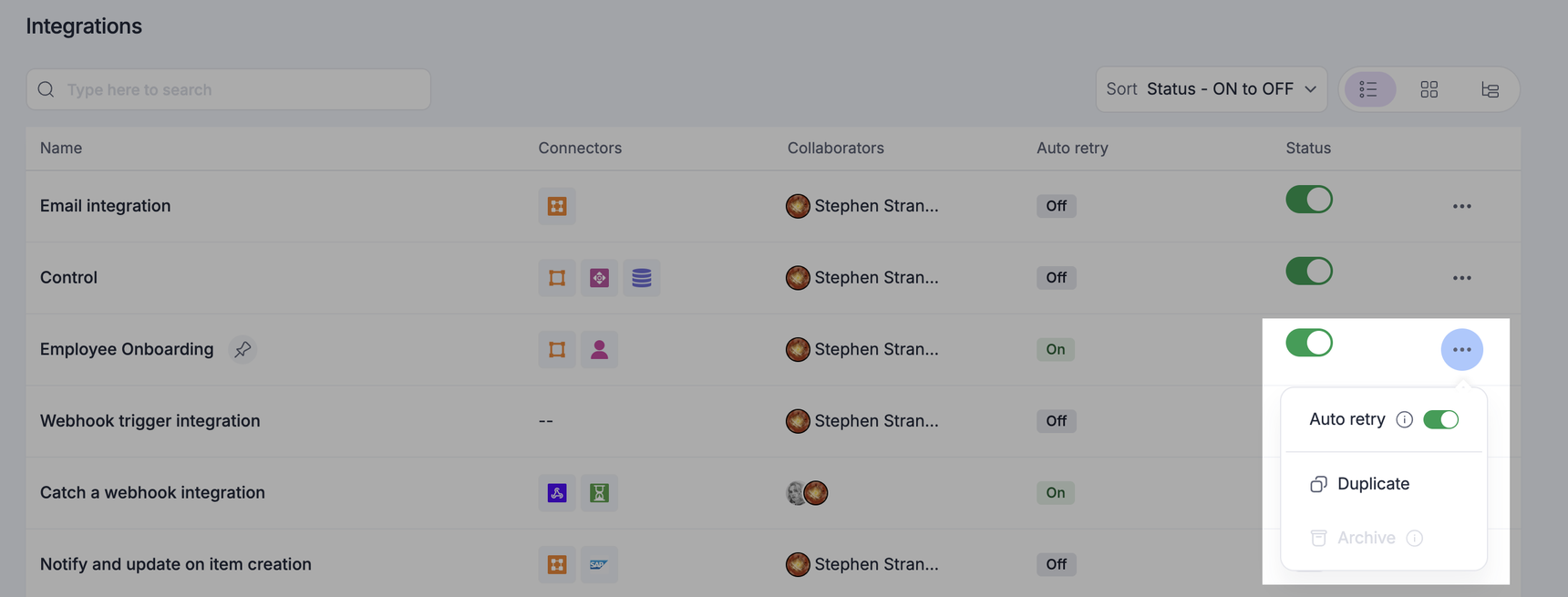
Please note that Auto retry is off by default, and it is set separately in each app environment. Because a retry repeats whatever the action does, it may create duplicates, such as a second email or a second record in an external system. Turn it on for integrations where repeating the action is safe.
To know more, visit our help documentation. Turn on Auto retry for your integrations today and let us know how it works for you in the comments below.
Content aside
-
3
Likes
- 6 hrs agoLast active
- 2Replies
- 49Views
-
3
Following