
Introducing: All-new roles page in Kissflow Apps
We’re excited to introduce the all-new Roles page in Kissflow Apps!
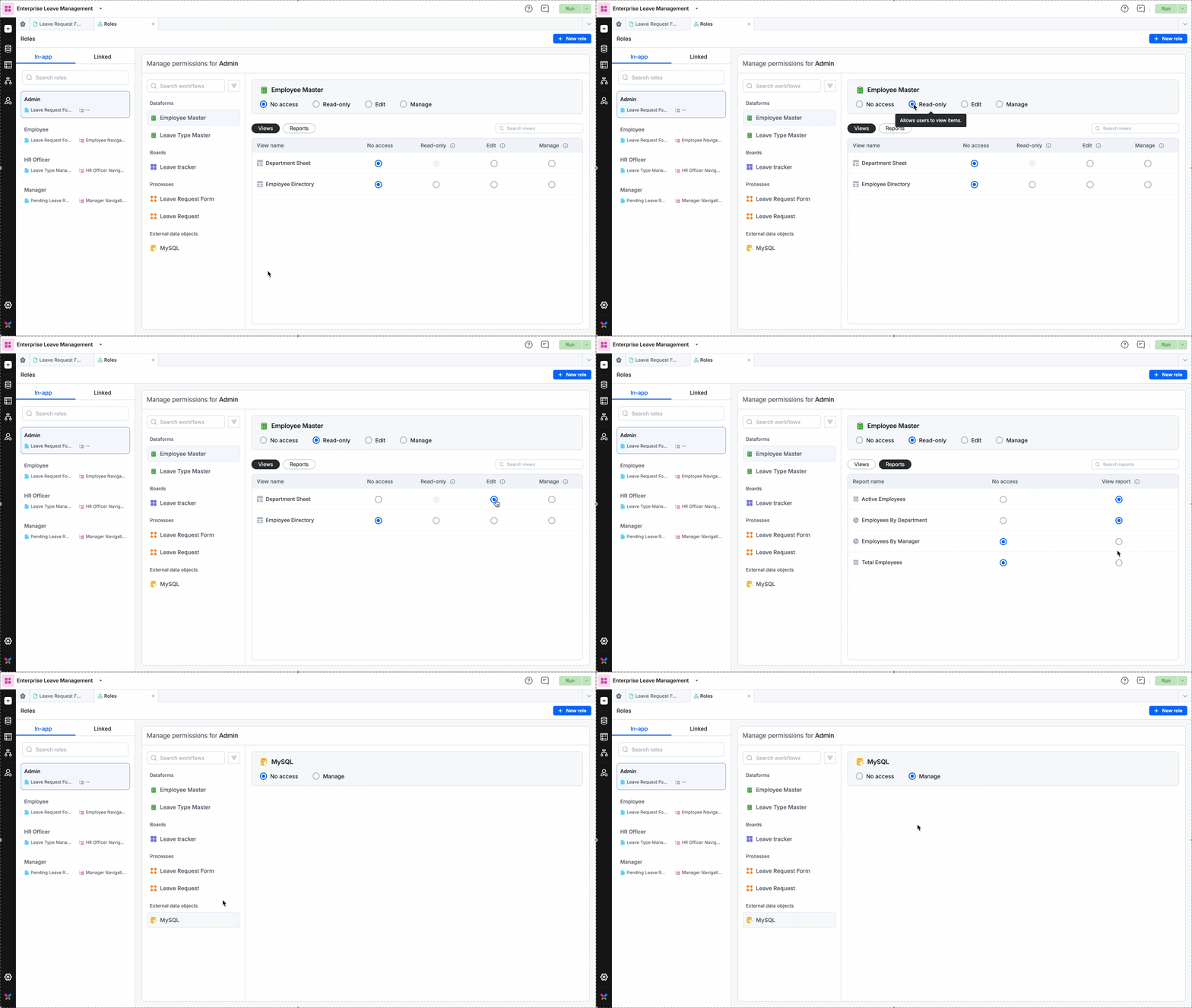
Featuring a revamped UI design, it offers a centralized, intuitive way to share workflows and configure permissions. While you can continue to configure role permissions within individual workflows just as before, you now have the convenient option to manage it all from one place.
What’s new?
- One hub for all permissions: The completely redesigned Roles tab lets you configure permissions for dataform, process, board, analytics, external data object, and decision table—all in a single view.
In-app & Linked roles: Create new in-app roles or link external roles from other apps. You can now manage permissions for both types directly here.
Bulk vs. Individual: Continue using the dedicated share icon for individual workflows, or use the Roles tab to perform bulk sharing actions.
Instant sync: You can now manage permissions in two places:
- The centralized Roles tab.
- The individual Share settings of a specific workflow. Changes made in one location are immediately reflected in the other.
What this means for you
Centralized control: Configure everything from one tab instead of navigating through multiple flows.
Faster setup: Extend and edit role permissions directly as you create them.
Clearer interface: The Roles page now puts your most important details front and center.
The new Roles experience is live across Apps. This is as simple as it gets!
For more details, check out the help documentation for roles and permissions. Feel free to comment below for any queries.
Content aside
-
7
Likes
- 10 mths agoLast active
- 199Views
-
2
Following