
Introducing new enhancements to task delegation
Task delegation now lets you hand over exactly the work you mean to, and makes it clear when an item reaches someone through a delegation. Here's what's new.
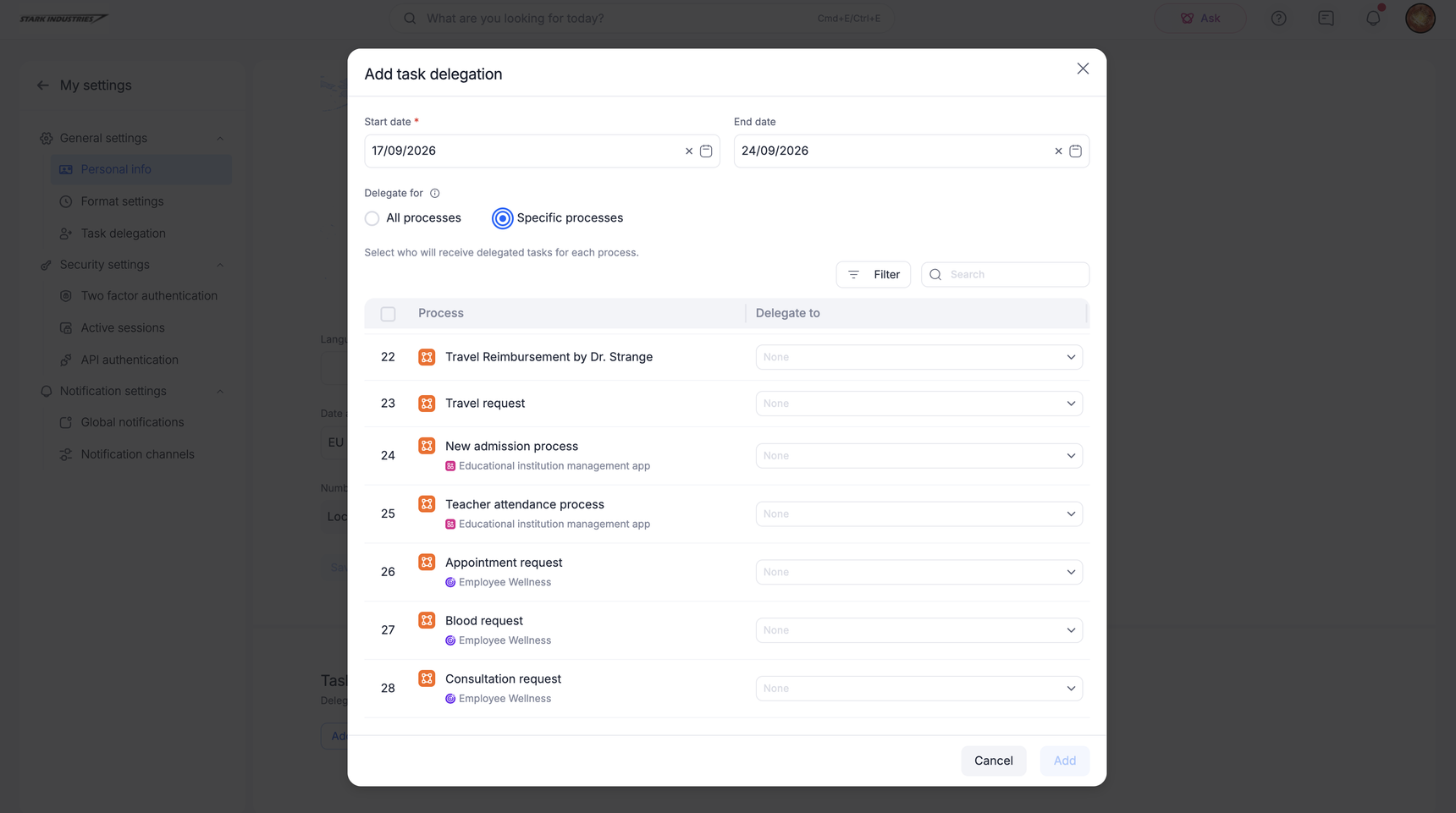
Delegate specific processes
My Settings → Task delegation now starts with a Delegate for choice:
All processes: Every task you'd receive goes to one person.
Specific processes: Pick only the processes you want covered. Anything you don't pick keeps coming to you.
Under Specific processes, each process gets its own delegate, so finance approvals can go to one colleague and procurement to another within a single delegation. The same control is available in the mobile app.
Processes inside apps
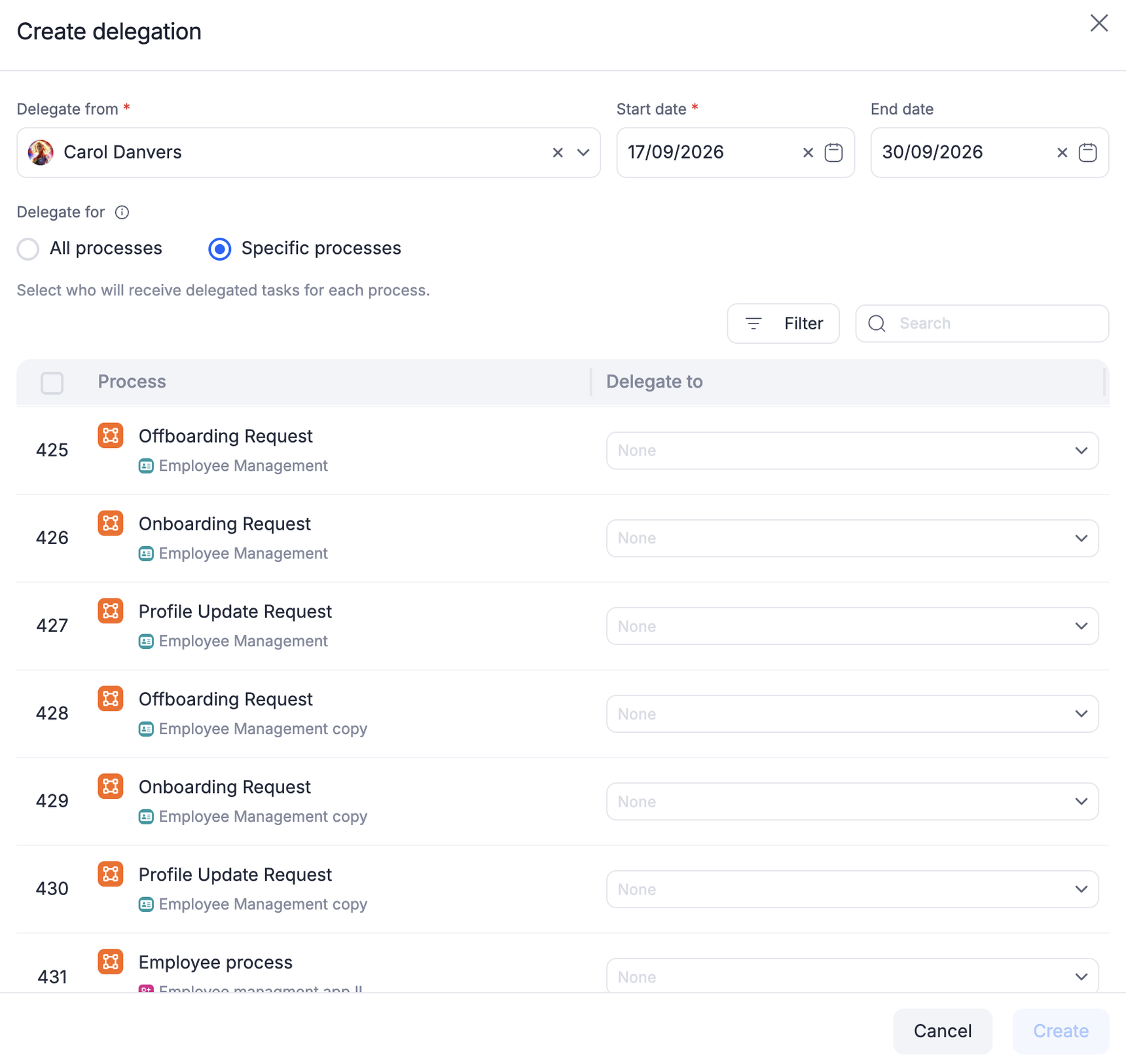
Processes that live inside an app now appear in the delegation picker alongside standalone ones, each tagged with its parent app, and can be delegated individually.
Filter the process list
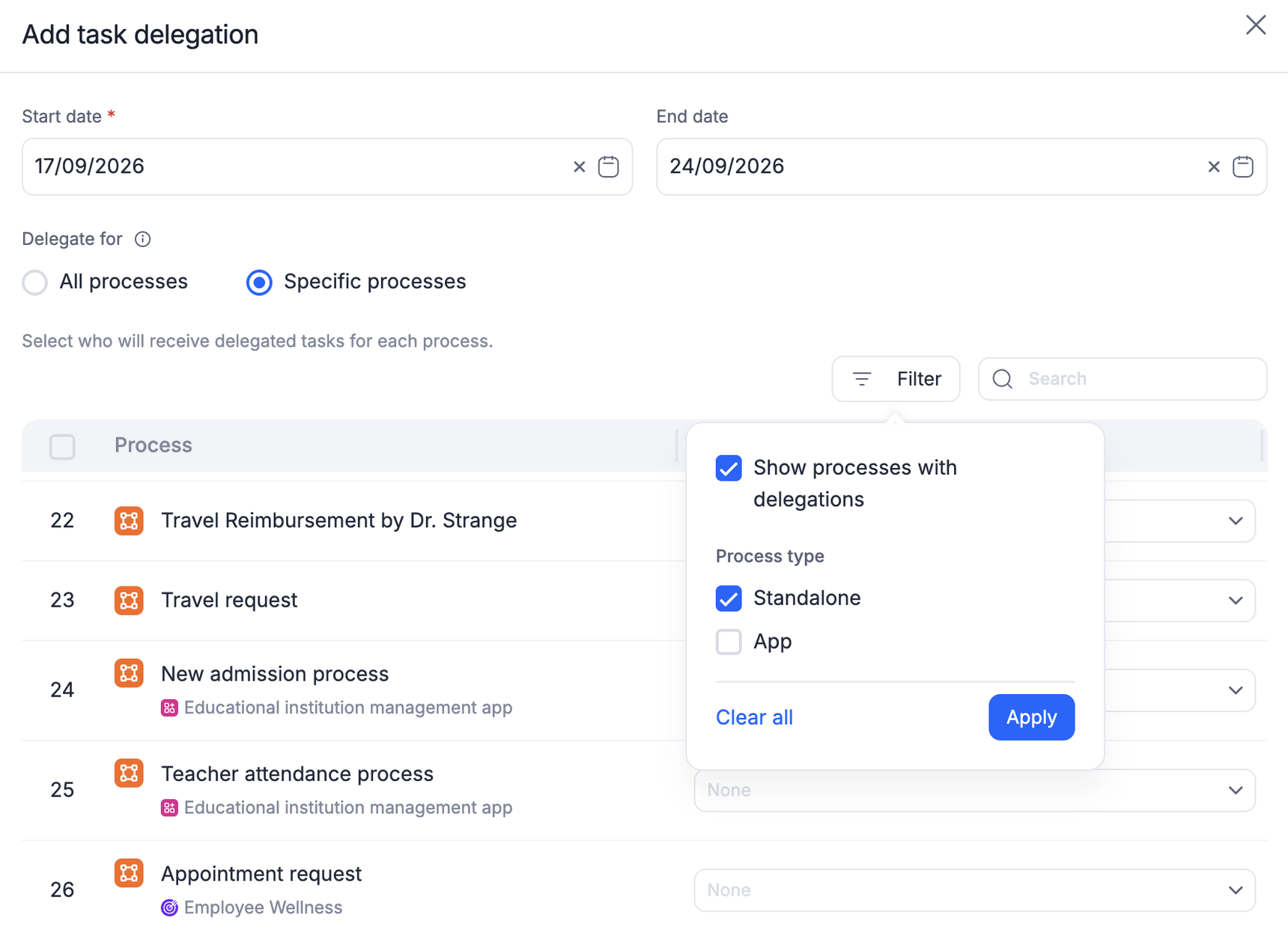
Finding the right process in a long list is easier. Search now runs across your full process catalogue, and a filter panel narrows the list by:
Delegated state: Show processes with delegations, to see only the ones you've already set.
Process type: Standalone or App
The filter button shows how many filters are active. You can also select several processes and use Bulk delegate to assign or remove a delegate in one action.
A clearer delegation summary
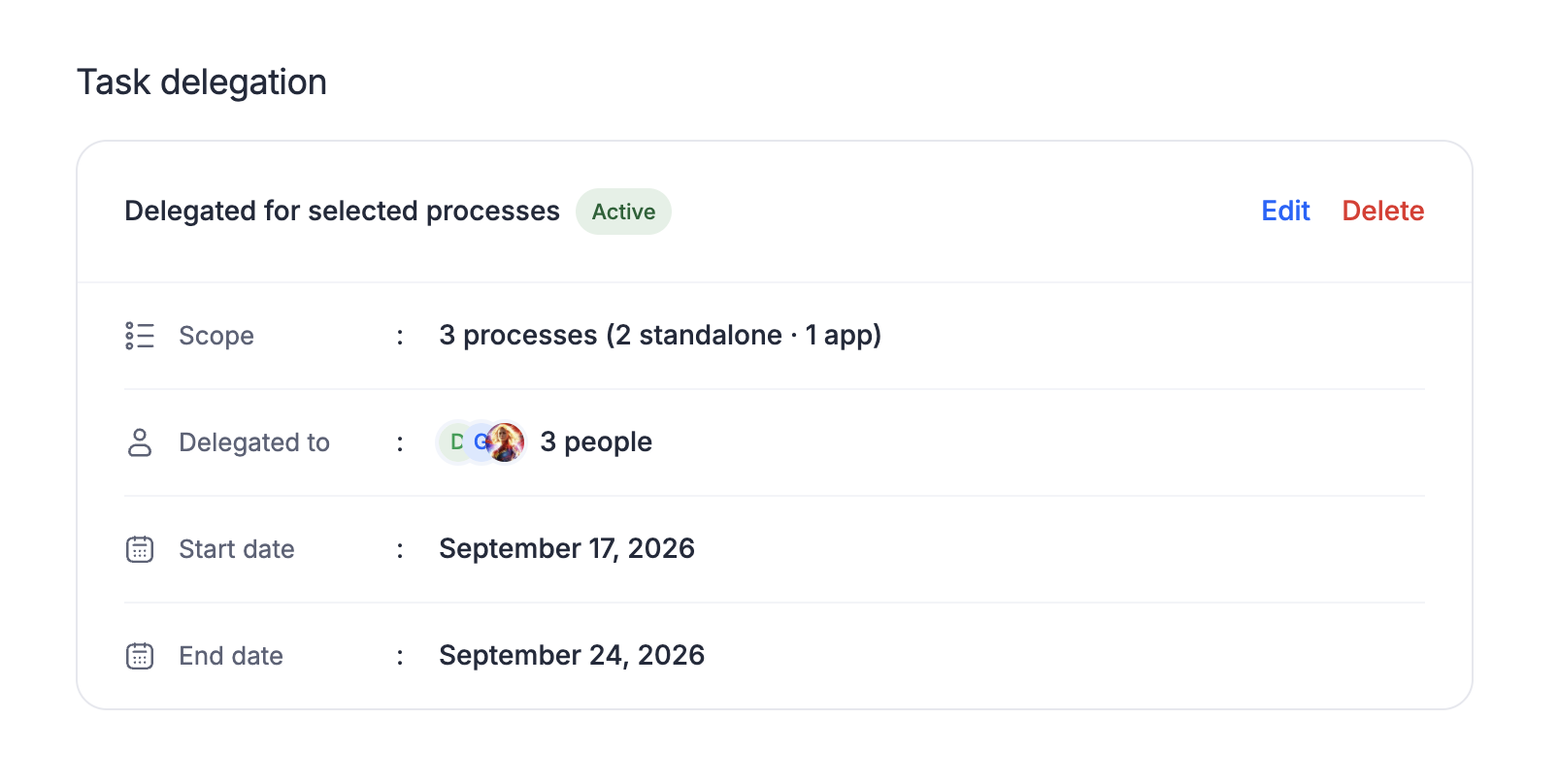
Your saved delegation shows Scope as a count with its breakdown alongside Delegated to, Start date, End date, and an Active or Scheduled chip. When different processes go to different people, the card lists all of them.
Know when an item is delegated
Delegated work is now marked wherever the item appears:
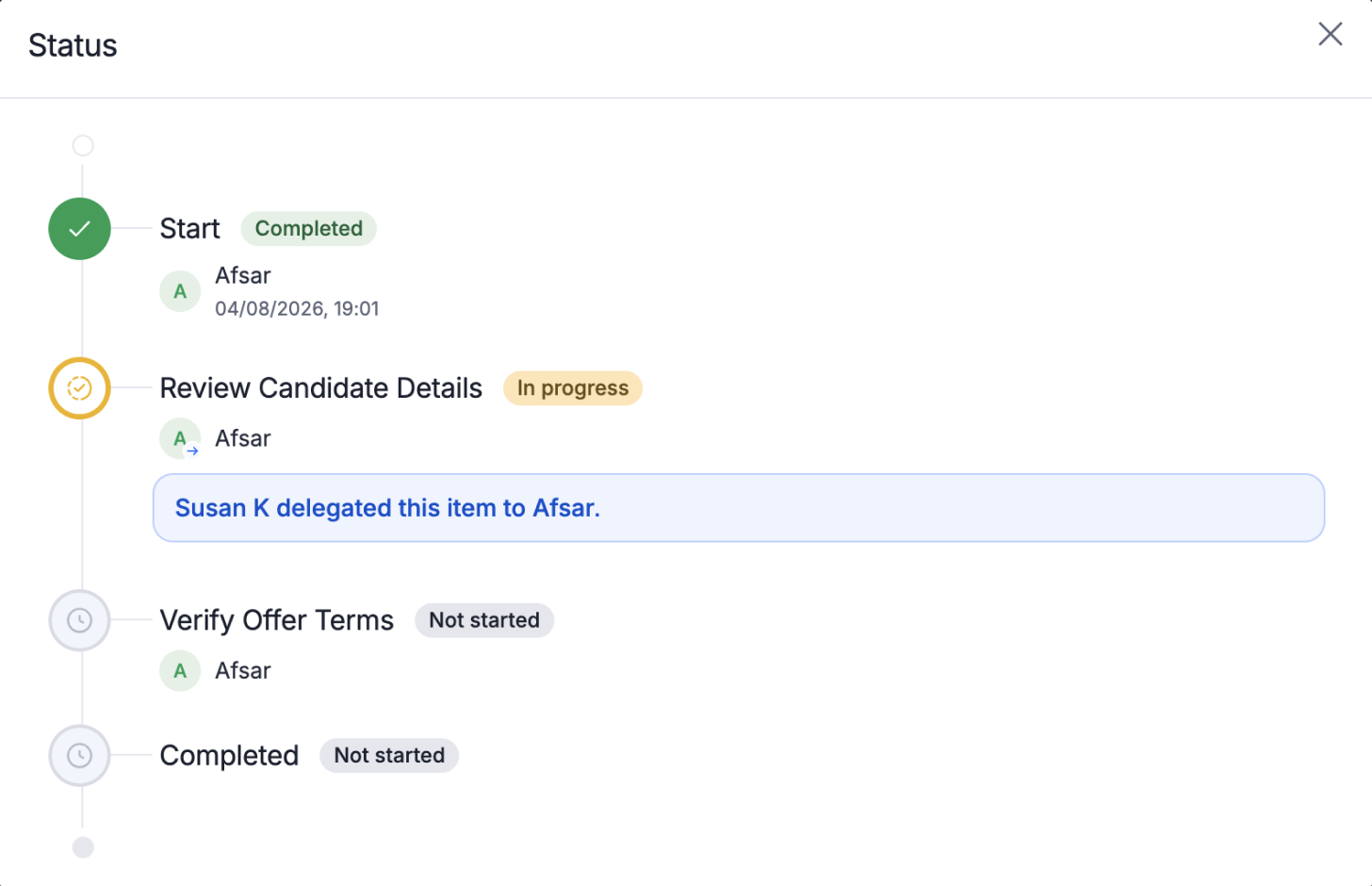
Opening a delegated item shows a note naming who delegated it to you.
The assignee in the status panel and progress view carries a badge, with a tooltip naming who the item was delegated to.
The progress view records each delegation on a step, who delegated the item, and to whom.
Your existing delegations continue to work as they do today.
We hope these updates make it easier to step away without handing over more than you intended. As always, feel free to reach out to us in the comments section if you have any questions.
Content aside
-
6
Likes
- 1 mth agoLast active
- 2Replies
- 225Views
-
3
Following