
Introducing the revamped Remote lookup field
Whether you are fetching live exchange rates, validating vendor IDs, or pulling customer details from a CRM, you need a tool that is fast, visible, and reliable.
We have completely revamped the Remote lookup field in Kissflow forms by replacing the current approach with a streamlined, interactive experience that lets you build, test, and debug API connections entirely within the form builder.
What’s new?
Here is how we are making third-party data accessibility effortless:
Test before going live
Previously, testing an API meant switching to tools like Postman or running a live request after going live. Now, you can test APIs directly inside the Field properties panel.
Instant validation: Click Test API to fire a real request (GET or POST) and immediately see if you get a Success (200) status or an error.
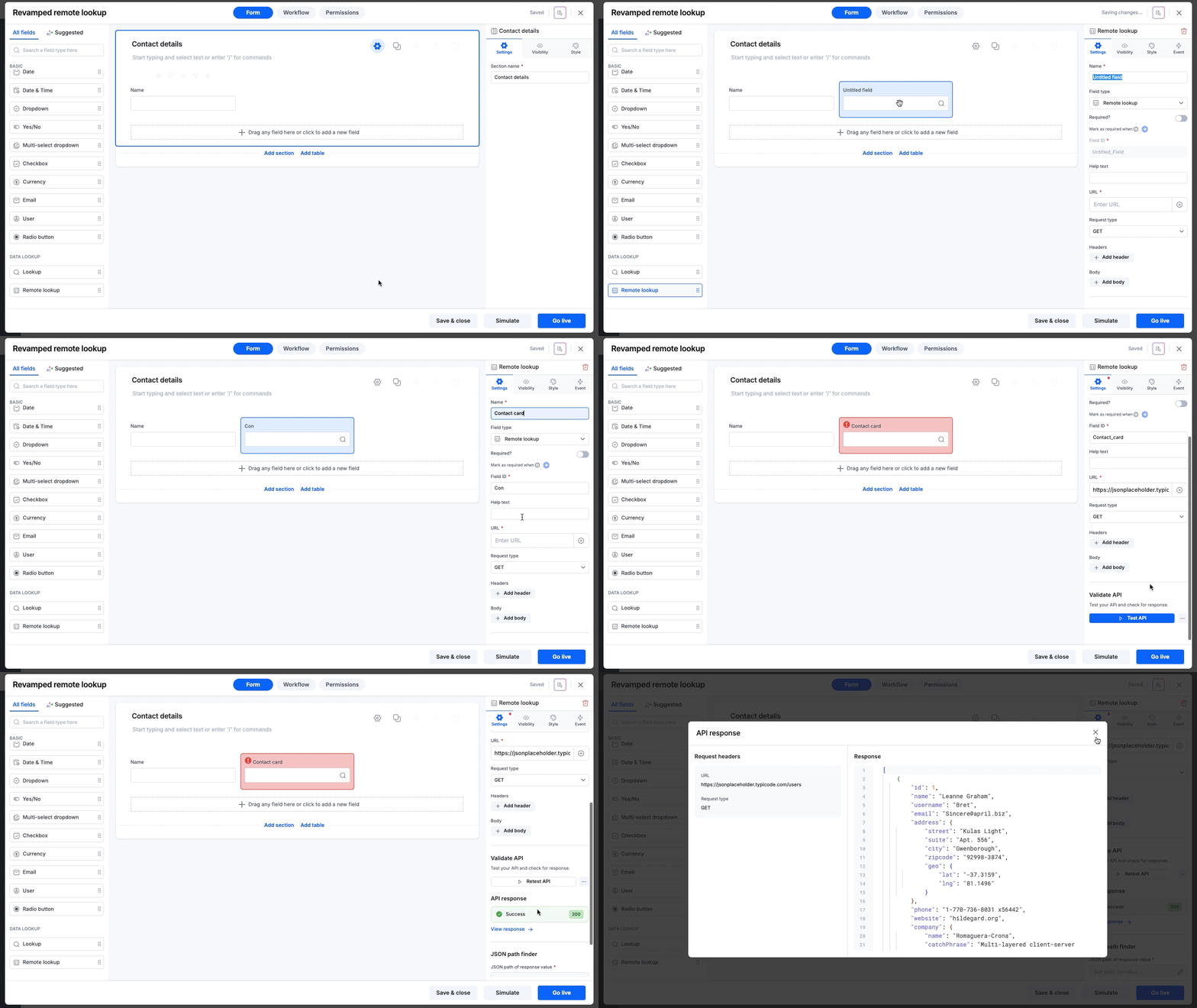
Debug on the spot: If a connection fails, you can inspect the error details to fix URL, Header, or Body issues.
Test dynamic fields: If your API request relies on data from other fields in your form (like a Department ID or Vendor name), you can input temporary sample values for these dynamic fields while testing to verify the connection works as expected.
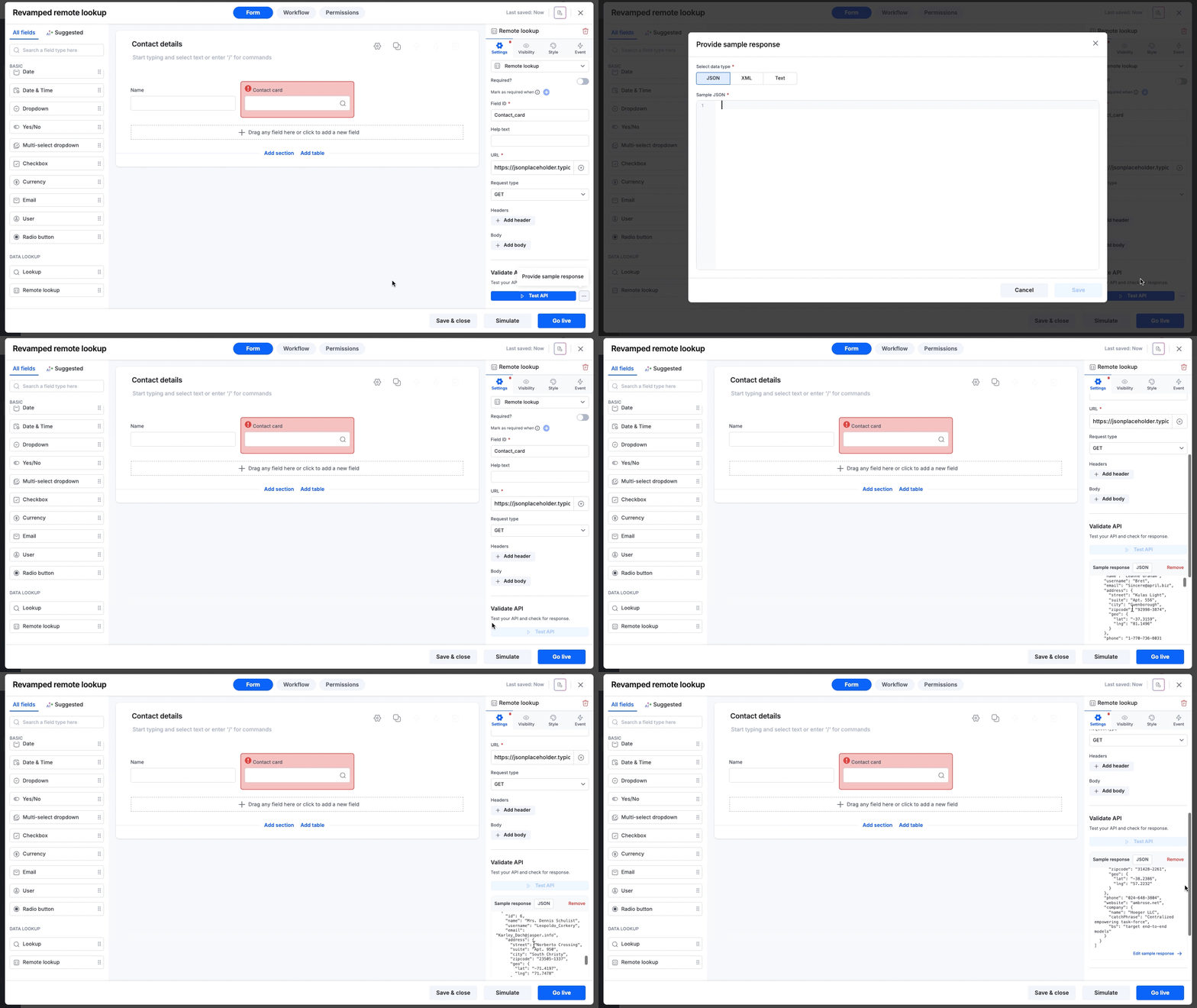
Work with sample data: If you’re working behind a firewall or don’t want to create dummy data in your live database, you can paste a sample response to configure the field without triggering a live API call.
Minimal configuration
Previously, you had to define your data type and configure the result format, a multi-step process.
Automated data type detection: Now as soon as you test an API or provide a sample response, we analyze the response to automatically detect the data type (JSON, XML, or Text) and apply the correct format settings.
Simplified JSON/XML path setup
Extracting the exact data point you need (like a specific city name from a list) used to require writing complex path syntax. We have introduced two new ways to handle this:
AI path finder: Just use plain-English. Type a prompt like Get the post office name or Give me user emails, and AI will analyze the response and generate the correct path syntax automatically.
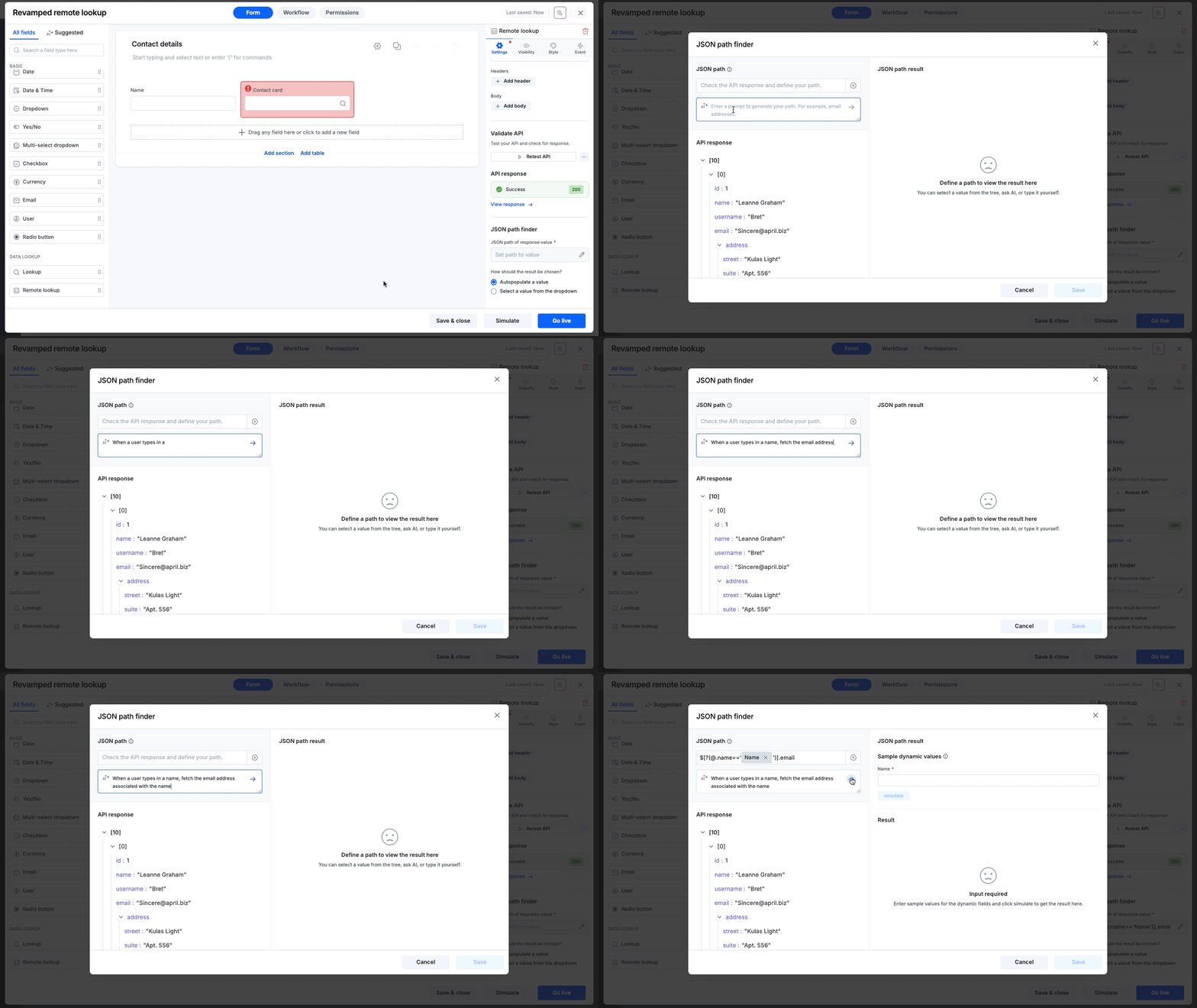
Visual tree selection: Browse the API response tree and simply click the value you want to capture.
For technical experts, manual input is still available for full control.
If you’ve included dynamic fields in your JSON/XML path, you can assign sample values and simulate the request to preview the path’s result before going live.
Smarter editing
We’ve added guardrails to ensure your live forms never break.
Dependency locking: If other fields or formulas rely on your remote lookup field, we prevent accidental edits to critical settings (like when you test the API after changing the URL, or modify the current JSON/XML path). You’ll see exactly which dependencies need to be cleared before making changes.
What this means for you
Here’s a high-level summary of why this revamp adds value to your operations:
Reduced setup time: Automated data type detection and AI path finding remove the manual grunt work, saving you countless clicks and configurations.
Higher reliability: Testing inside the builder and dependency locking ensures that when you finally go live, your form works perfectly the first time.
Zero-code accessibility: By removing the need to write JSON/XML syntax manually, integrations are now accessible to business users, not just IT specialists.
Availability and support
These enhancements are designed to simplify configuring remote lookup fields. You no longer need robust backend development knowledge to set up real-time data lookups.
The revamped Remote lookup field is now available to users on all Kissflow plans and accessible across all Process, Board, and Dataform forms. Go ahead. Drag, drop, and connect with confidence!
For more information, visit our help documentation. If you have any questions, feel free to comment below or reach out to our customer support team.
Content aside
-
5
Likes
- 9 mths agoLast active
- 234Views
-
2
Following