
Automate PDF print from a workflow item
Previously, you had to manually click Print inside each item and save the document as a PDF to generate a PDF from a process item.
Automation was possible via integrations only to generate the PDF from a process document template. That has changed now.
What’s new
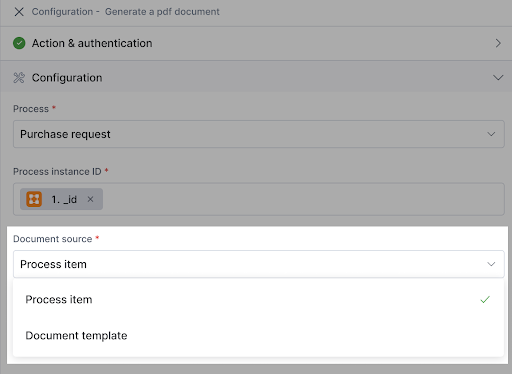
We’ve introduced a new source type in the Generate a PDF document action within integrations. This generates PDFs directly from process items, making documents automation-ready the moment they’re created. These documents can be automated to be printed, emailed, uploaded, or stored as part of your workflow.
What this means for you
Faster document-based automations.
Fewer manual steps before printing or sharing.
Consistent PDF generation across processes and boards.
Learn more about generating a PDF document. Do try out this feature and let us know your thoughts in the comments.
New action in Kissflow Boards connector
We’ve also brought the Generate a PDF document action to the Kissflow Boards connector, enabling the same seamless automation, whether you’re working in a process or a board.
Content aside
-
9
Likes
- 7 mths agoLast active
- 7Replies
- 336Views
-
6
Following