
Introducing the calendarDays function!
We are excited to introduce calendarDays, a powerful new addition to our formula builder. While dateDiff calculates the standard duration between two dates, calendarDays provides more control and flexibility, designed for use cases like HR leave requests, payroll calculations, and granular time tracking.
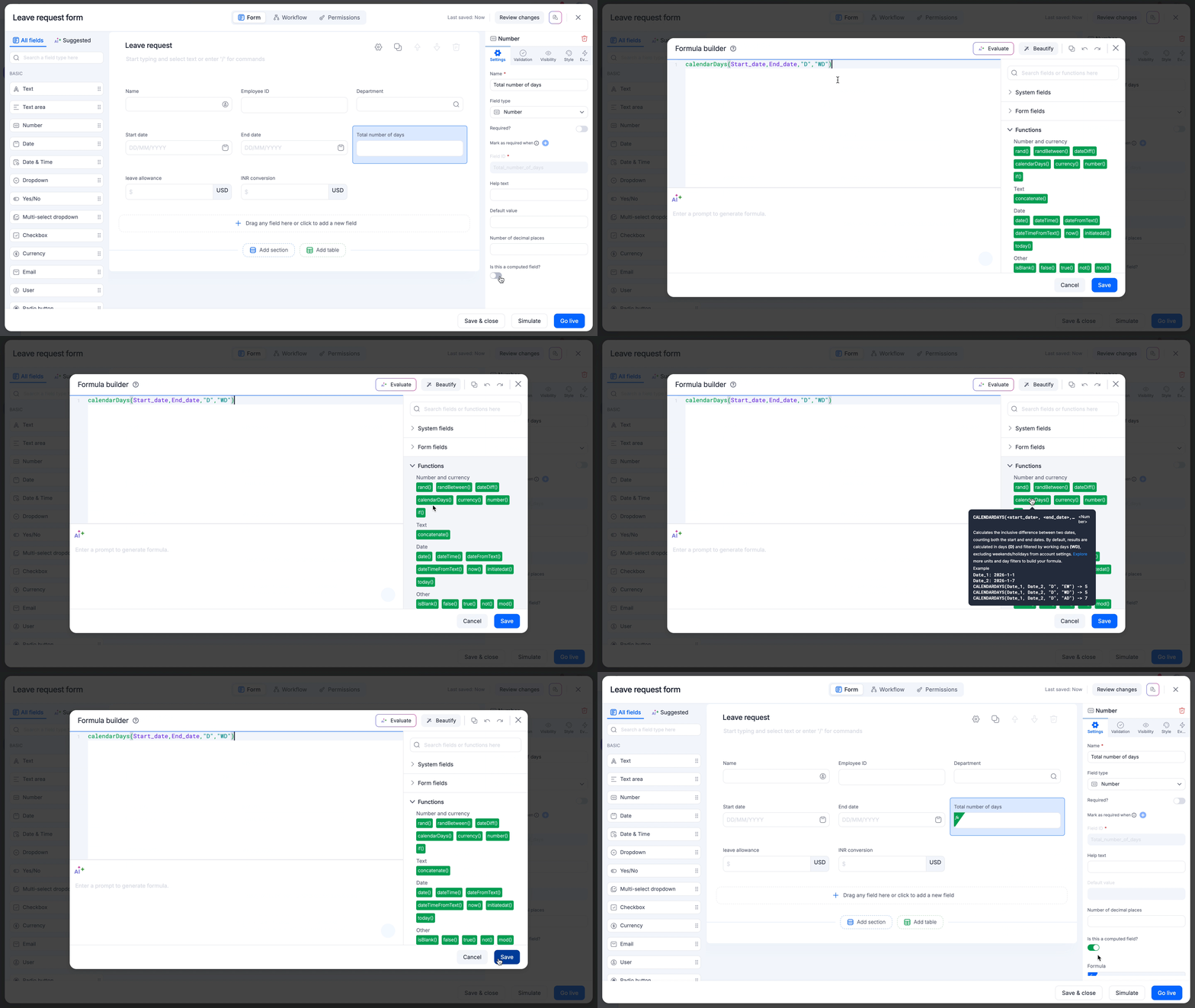
Why use calendarDays?
Unlike the dateDiff function that uses exclusive counting, where the start date isn't counted, calendarDays is built for the real world scenarios:
Inclusive counting: In calendarDays, Jan 10 to Jan 15 equals 6 days, whereas in dateDiff it will be 5 days (exclusive counting). This ensures that leave requests and work weeks are calculated exactly how your team expects them to be.
Smart holiday and weekend awareness: Automatically subtract weekends and holidays based on your account's specific configuration using the day_filter parameter.
Advanced units: Support for leftover units like MD (days remaining after full months), YM (months remaining after full years), and YD (days ignoring years).
dateTime precision: Switch between simple date counting and high-precision time tracking (hours, minutes, seconds) effortlessly.
The syntax is flexible to meet your needs:
calendarDays(start_date, end_date, “[unit]”, “[day_filter]”)Where, the accepted parameters are,
unit:
- D (Default): Returns the total number of days within the range.
M: Returns the total number of full months within the range.
Y: Returns the total number of full years within the range.
HR: Returns the total number of hours between two timestamps.
MIN: Returns the total number of minutes between two timestamps.
SEC: Returns the total number of seconds between two timestamps.
MD: Returns the number of days remaining after full months are subtracted.
YM: Returns the number of months remaining after full years are subtracted.
YD: Returns the number of days remaining after full years are subtracted.
day_filter:
- WD (Working days - Default): Skips your account's configured weekends and holidays.
AD (All days): Calculates every single calendar day in the range.
EW (Exclude weekends): Skips Saturdays and Sundays. Public holidays are treated as working days and included in the count.
EH (Exclude holidays): Skips only the holidays configured in your account settings. Saturdays and Sundays are treated as working days and included in the count.
Pro-tips
Auto-swap: Don't worry about the order! If your start_date is later than your end_date, the function automatically swaps them to ensure you never get a negative result.
date vs. dateTime: Use date fields for inclusive daily counting, perfect for PTO. Use dateTime fields for precise time-based durations, perfect for billable hours.
Leap year ready: The function handles leap years (like 2024) automatically, ensuring your February calculations are always accurate.
Availability and support
The calendarDays function is now available to users on all Kissflow plans in your formula editor. Check out the help documentation for more information.
For further questions, comment below, or reach out to our customer support team.
Content aside
-
11
Likes
- 6 mths agoLast active
- 220Views
-
4
Following