
calendarDays function
The calendarDays function is designed for precision tracking of durations where the start and end dates both represent active periods of time. Unlike standard subtraction, which calculates the gap between dates, calendarDays uses inclusive counting (start date = day 1).
It is highly customizable, allowing you to filter out non-working days or isolate specific remainders like leftover days in a month.
Function details
| Function | Description | Syntax | Output | Output type |
| calendarDays | Calculates the inclusive difference between dates, counting both the start and end dates. | calendarDays(date1, date2, "unit", "day_filter") | 5 | Number |
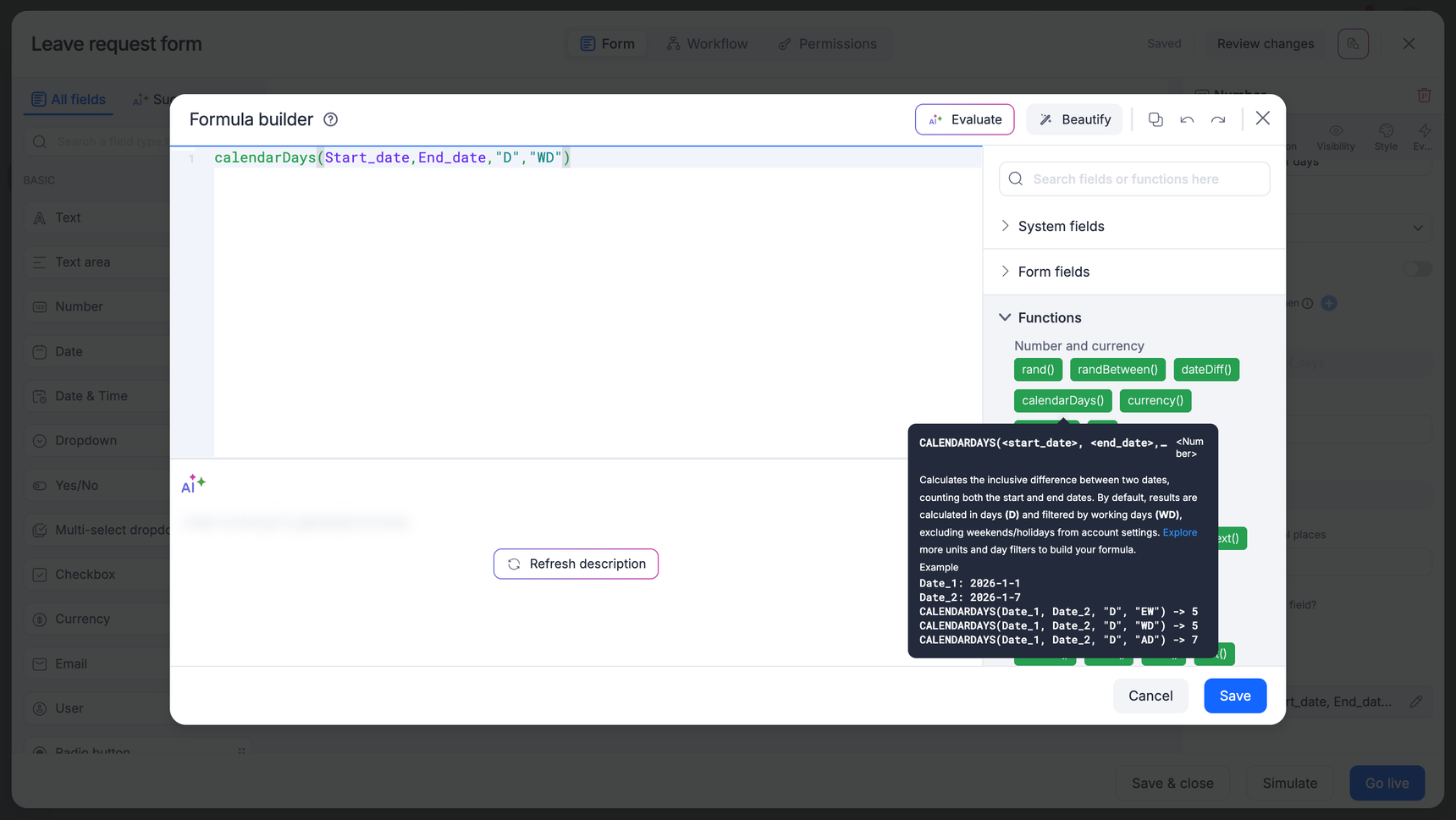
Parameters
Unit (Default: D)
Determines the mathematical remainder or total you want to see.
D: Returns the total number of days within the range.
M: Returns the total number of full months within the range.
Y: Returns the total number of full years within the range.
HR: Returns the total number of hours between two timestamps.
MIN: Returns the total number of minutes between two timestamps.
SEC: Returns the total number of seconds between two timestamps.
MD: Returns the number of days remaining after full months are subtracted.
YM: Returns the number of months remaining after full years are subtracted.
YD: Returns the number of days remaining after full years are subtracted.
Day_filter (Default: WD)
Determines which days on the calendar are billable or counted toward the total.
WD (Working days): Skips weekends (Sat/Sun) and any holidays defined in your Kissflow account settings.
AD (All days): A straight calendar count; no days are skipped.
EW (Exclude weekends): Skips Saturdays and Sundays, but includes holidays.
EH (Exclude holidays): Skips holidays, but includes Saturdays and Sundays.
Use cases
Project management (Working days)
Scenario: You have a task starting Friday and ending the following Tuesday. You need to know how many actual work days the team has to finish it.
Expression: calendarDays(Start_date, End_date, "D", "WD")
Logic: Friday (day 1), Monday (day 2), Tuesday (day 3).
Result:
3
Rental or subscription billing (All days)
Scenario: A client rents equipment from May 1st to May 10th. Since the equipment is held over the weekend, you must charge for every day.
Expression: calendarDays(Start_date, End_date, "D", "AD")
Logic: Every day from the 1st to the 10th is counted.
Result:
10
HR seniority tracking (YD)
Scenario: You want to display an employee's tenure in the format: X years and Y days. To find the Y days part (ignoring the years), use the
YDunit.Expression: calendarDays(Hire_date, Today(), "YD", "AD")
Logic: Calculates the total days passed in the current anniversary year.
Result:
145(they have been employed for 3 years and 145 days)
Payroll cycle (MD)
Scenario: To calculate a partial month's salary, you need to know how many days your employee worked in the current month after full months are accounted for.
Expression: calendarDays(Start_date, Today(), "MD", "WD")
Result:
12(the employee worked 12 business days so far this month)
calendarDays vs. dateDiff
| Feature | dateDiff | calendarDays |
| Logic | Duration (end date minus start date). | Inclusive (Counts both start and end dates). |
| Example | Mon to Tue = 1. | Mon to Tue = 2. |
| Unit | day, hour, minute, second, year, month. | D, M, Y, HR, MIN, SEC, MD, YM, YD. |
| Day filters | holidays=True/False holidays_list=[array] |
WD, AD, EH, EW. |