
Three new ways to manage your tables in Kissflow forms
Managing large tables on mobile devices just got a lot easier. We know that navigating tables in your forms can be tricky on smaller screens. We’re excited to roll out a set of enhancements for our Progressive Web App (PWA) designed to help you locate, organize, and view your records more efficiently.
What’s new?
Instant search
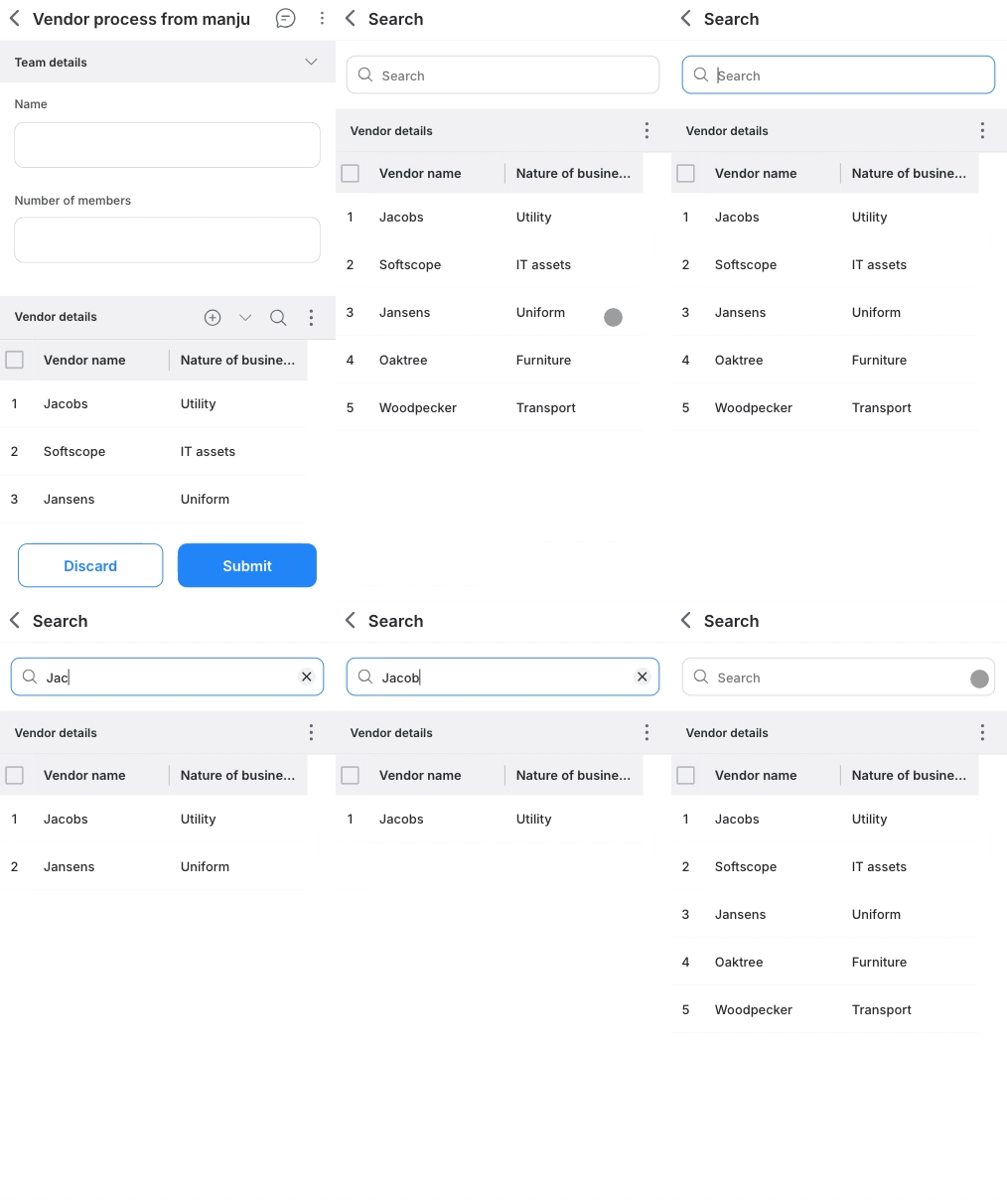
You no longer need to sift through the entire table to find what you are looking for. We have added a dedicated search bar to form tables.
Search checks all cells across columns. Simply type a keyword, like a name or ID, and the table will instantly filter to show only the matching records.
Column sorting
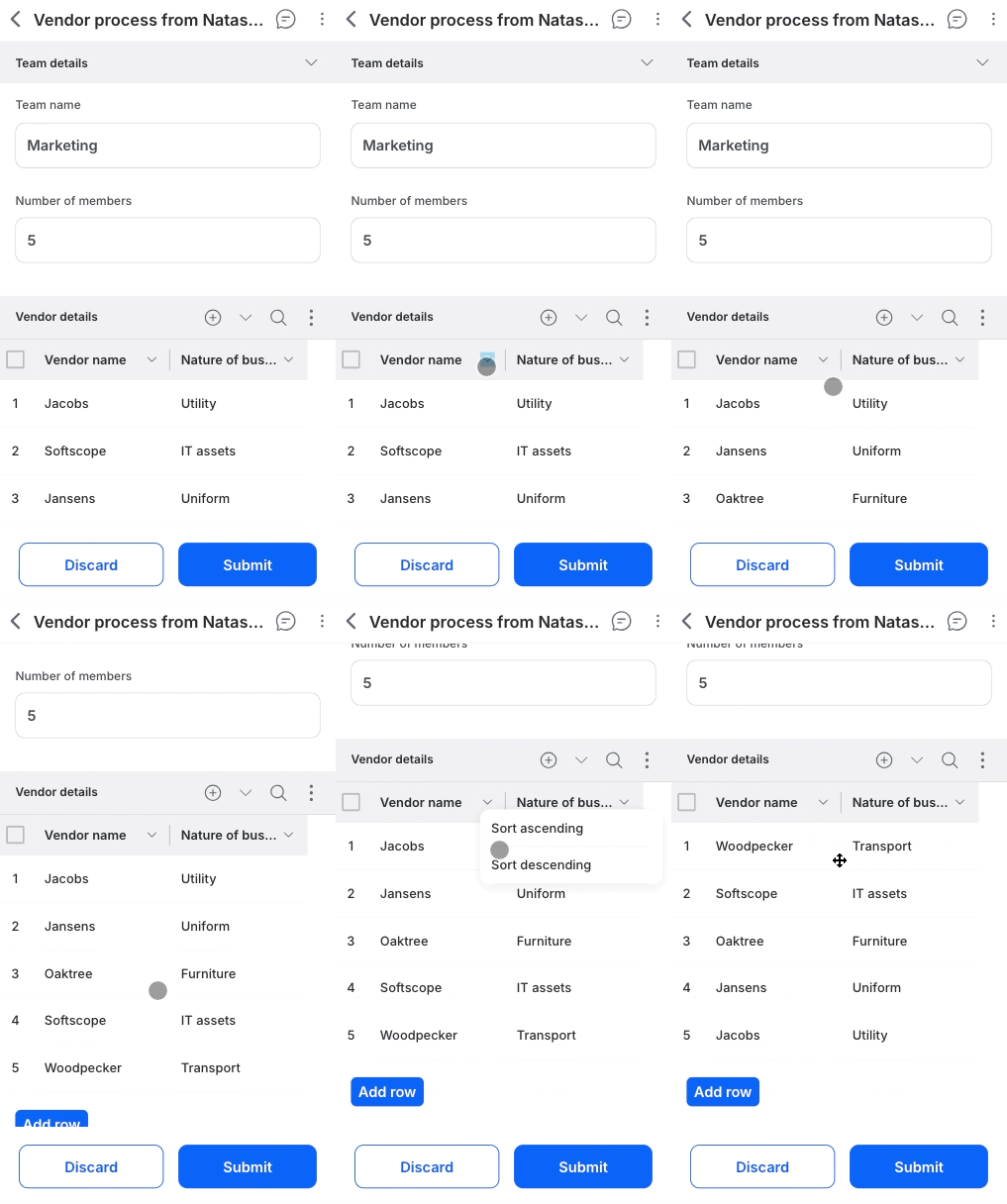
You can organize your data exactly how you need it using the new ascending and descending sort options.
For complex widgets, sorting is performed based on the underlying primary values.
Fixed headers
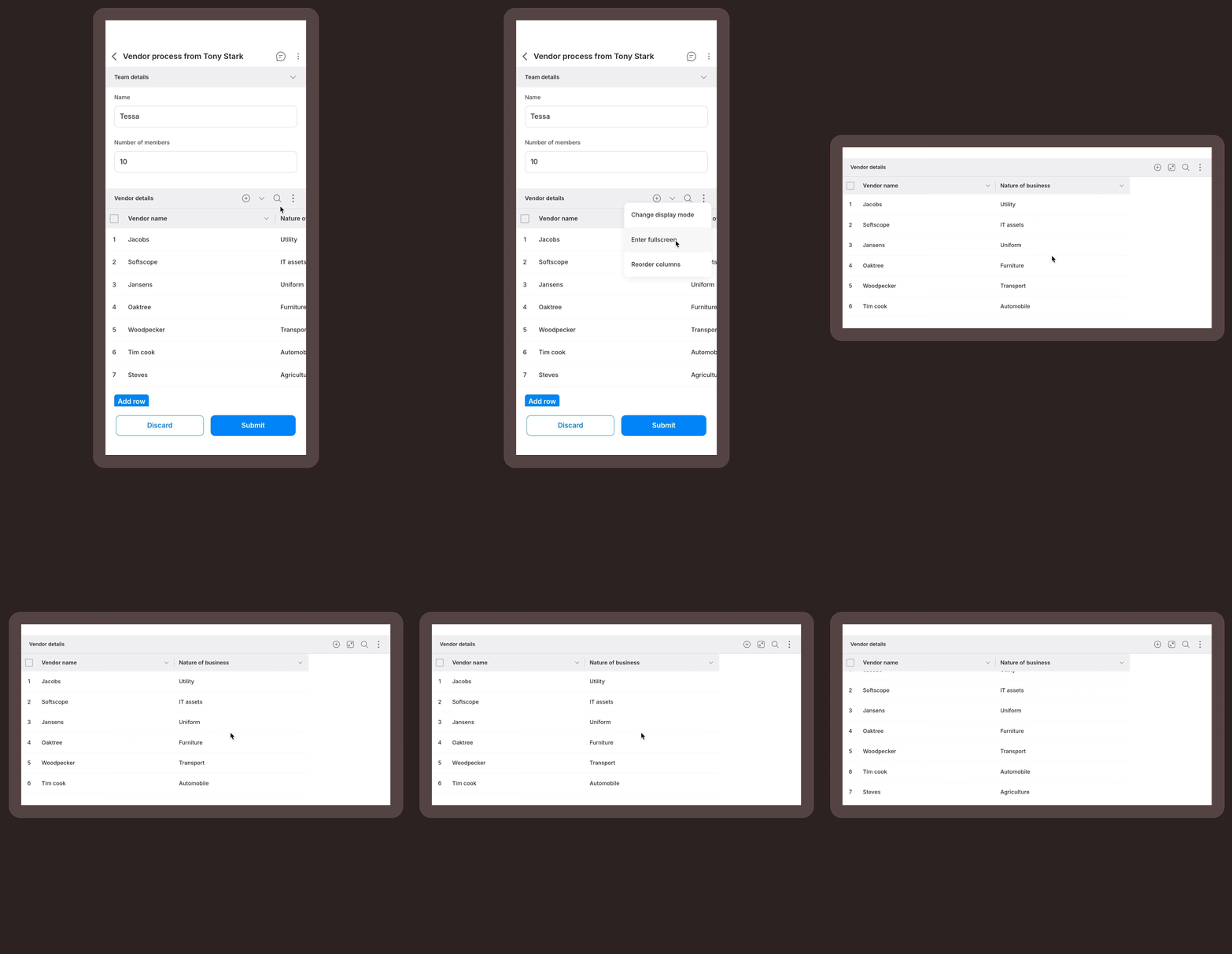
We have improved the scrolling experience for large tables in full-screen mode.
The column headers now remain fixed at the top when you scroll down through a long list of items in full-screen mode. You will never lose context of which column you are looking at.
Availability and support
These enhancements are live in the PWA today, available to users on all plans across the Kissflow platform and Apps. We are actively working to enhance the web experience with the search and sort capabilities as well. Stay tuned for updates.
Note that search and sort cover the majority of field types, like Text, Number, Date, User, Lookup, and so on. File-based fields like Attachment and Image, Signature, and Geolocation are excluded.
For more information and a full list of supported fields, visit our help documentation. If you have any questions, feel free to comment below or reach out to our customer support team.
Content aside
-
6
Likes
- 10 mths agoLast active
- 188Views
-
1
Following