
New mobile settings for image and attachment fields: Authenticity at every capture
Managing field operations, whether it’s site inspection, delivery confirmation, or safety audit, requires trust. You need to know that the images submitted by your team are current, authentic, and captured exactly where they claim to be.
To help you secure this data, we are excited to introduce Mobile settings for Image and Attachment fields in Kissflow.
What’s New?
These settings apply specifically to mobile users to boost compliance and data integrity.
1. Allow camera captures only
This option disables the ability to upload images from the device gallery or cloud storage, ensuring your users capture images in real-time.
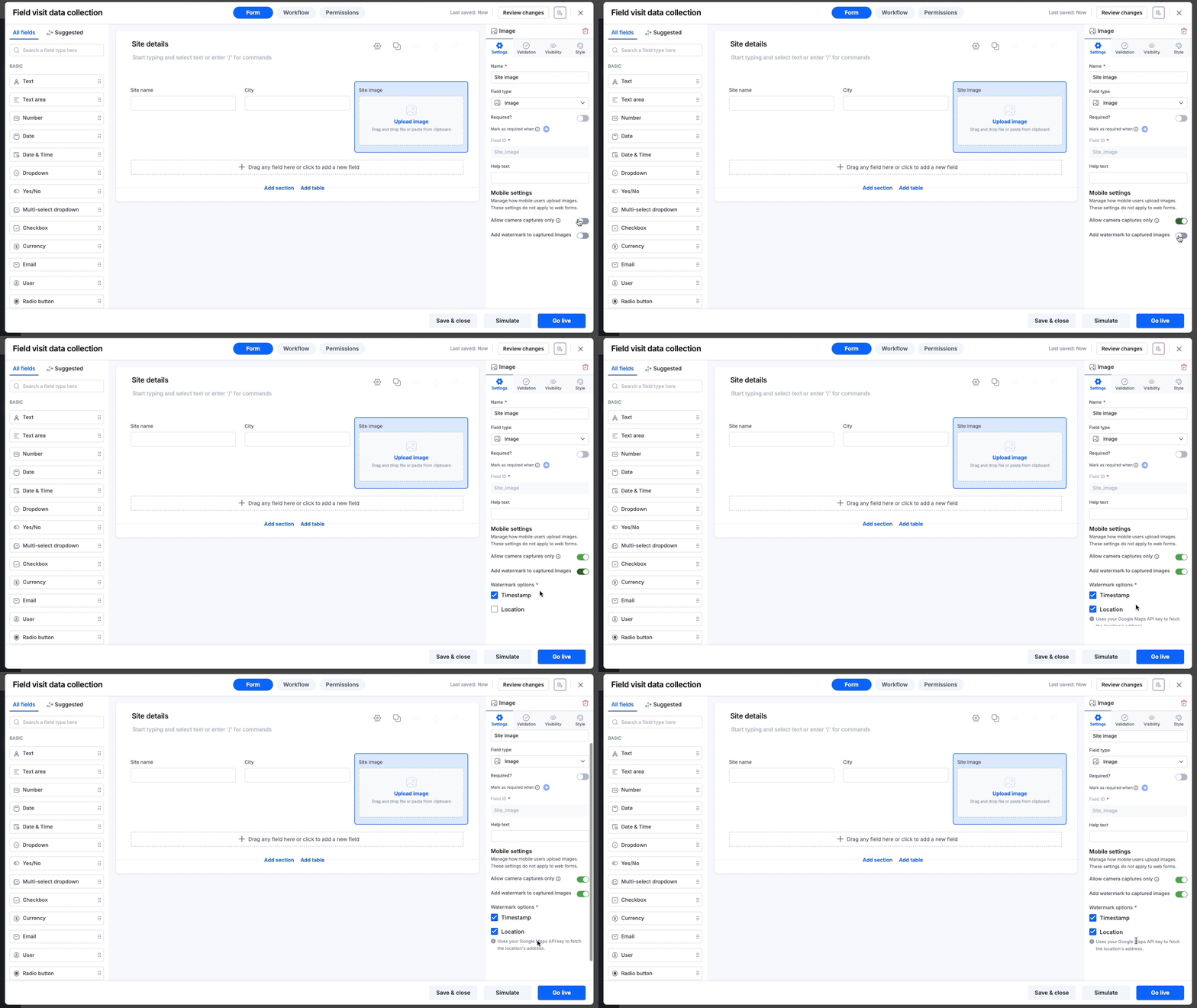
2. Add watermark to captured image
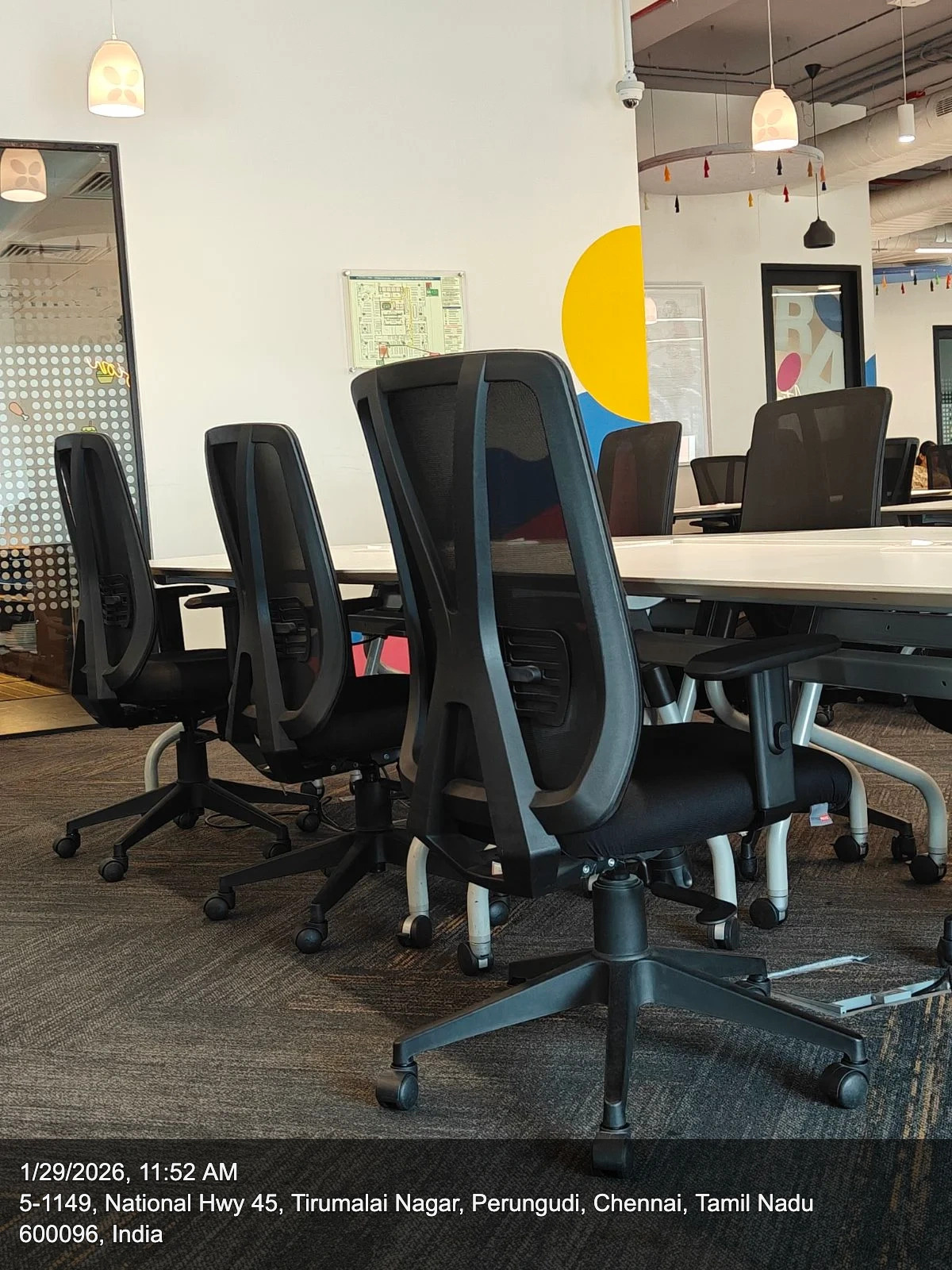
You can now verify the when and where of every image. By enabling Add watermark to captured images, metadata is overlaid directly on the image in the bottom-right corner.
You can choose to display:
Timestamp: The exact date and time the image was captured.
Location: GPS coordinates are shown by default. By adding your Google Maps API key to Account settings, the actual physical address of the image’s location can be displayed.
Availability and support
To access this feature, open your Form builder, select an existing Image/Attachment field or add a new one, and look for Mobile settings in the field settings panel. For more information, visit our help documentation.
These settings are available to users across all plans for Process, Board, and Dataform forms.
Update your forms today to bring a new level of transparency to your field operations! For any questions, comment below or reach out to our customer support team.
Content aside
-
8
Likes
- 8 mths agoLast active
- 143Views
-
2
Following