Reviewing publish changes
The review changes feature helps Process admins and Developers get complete visibility into all updates made to a process before publishing it live. Instead of manually comparing versions or tracking edits across sessions, you get a clear and organized summary of every change.
In the Review changes page, you can view a consolidated summary of what has been deleted, added, and modified in your form, workflow, and permissions since the last published version. This feature also uses AI-powered summaries (Enterprise plan) to explain complex changes in simple terms.
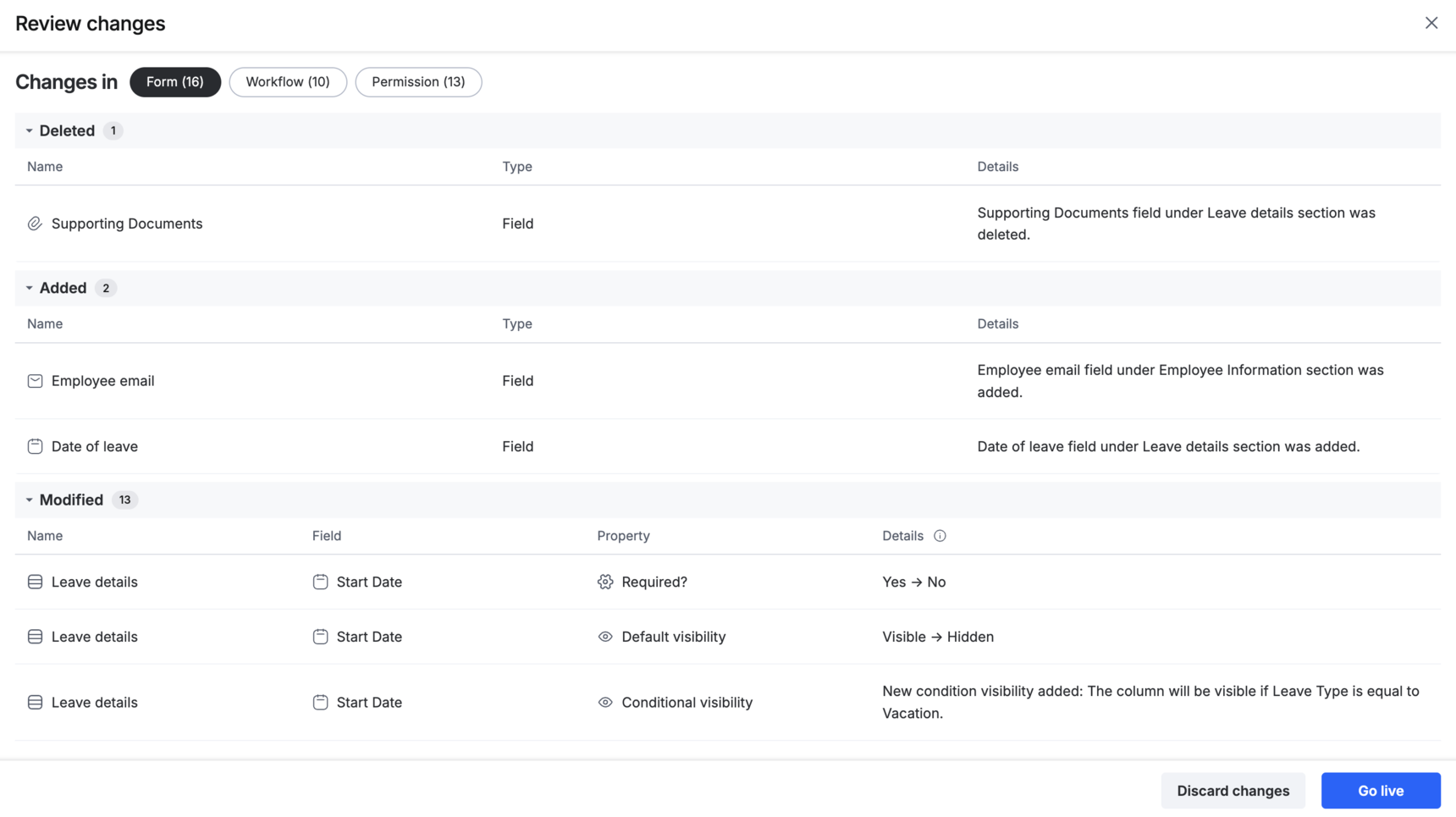
Discarding changes
If certain updates are no longer needed, you can choose to discard changes directly from the Review changes page. This action removes all draft updates made after the last published version and restores the process to its previously published state.
When you can review the changes
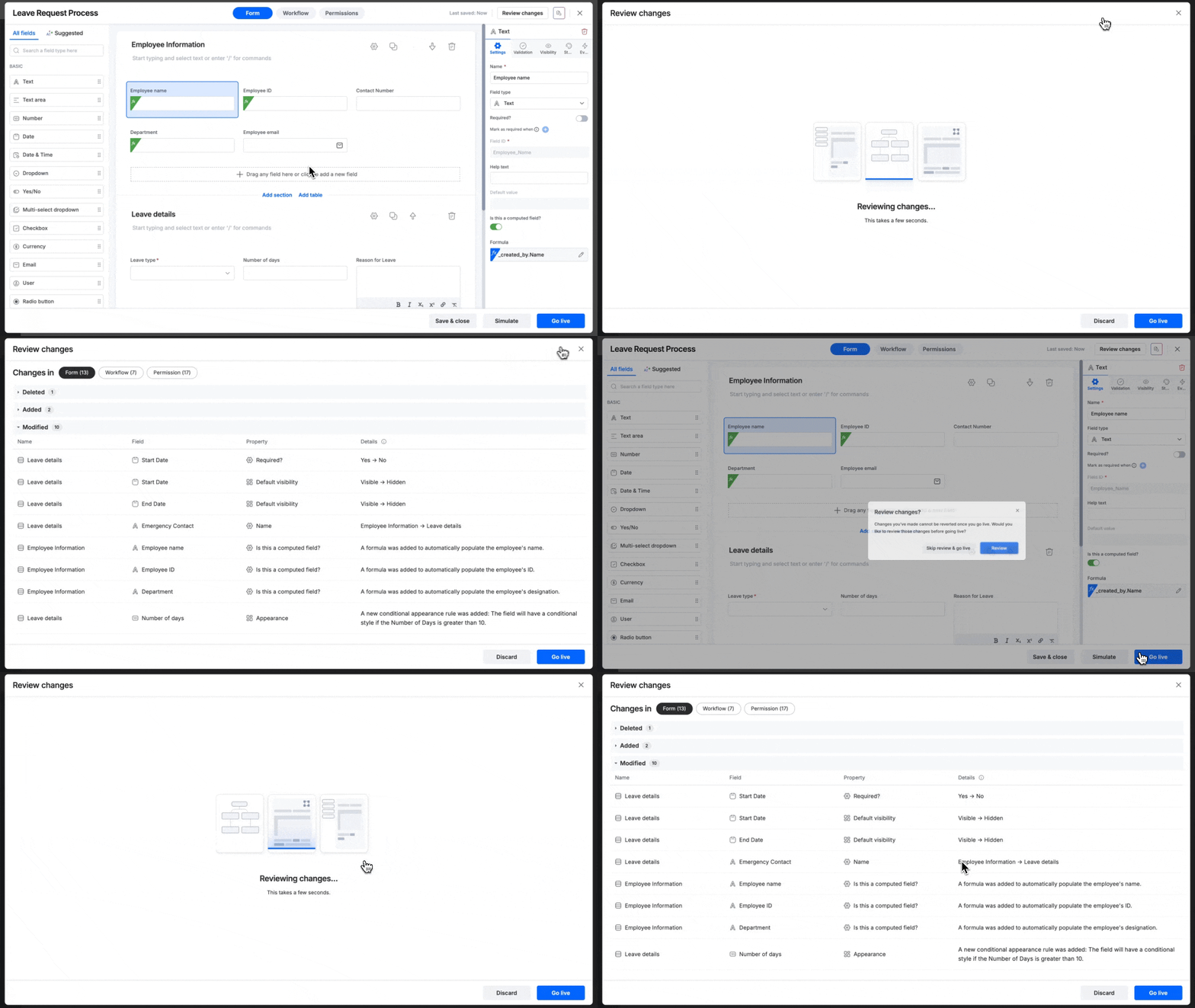
Inside the process editor, you can review the changes in two ways:
- While editing the process - Click Review changes at the top-right corner at any time during your editing session. This helps you keep track of your ongoing updates without needing to publish.
- Before publishing - Click Go live at the bottom-right. In the confirmation pop-up, select Review changes.
Reviewing changes made by other users
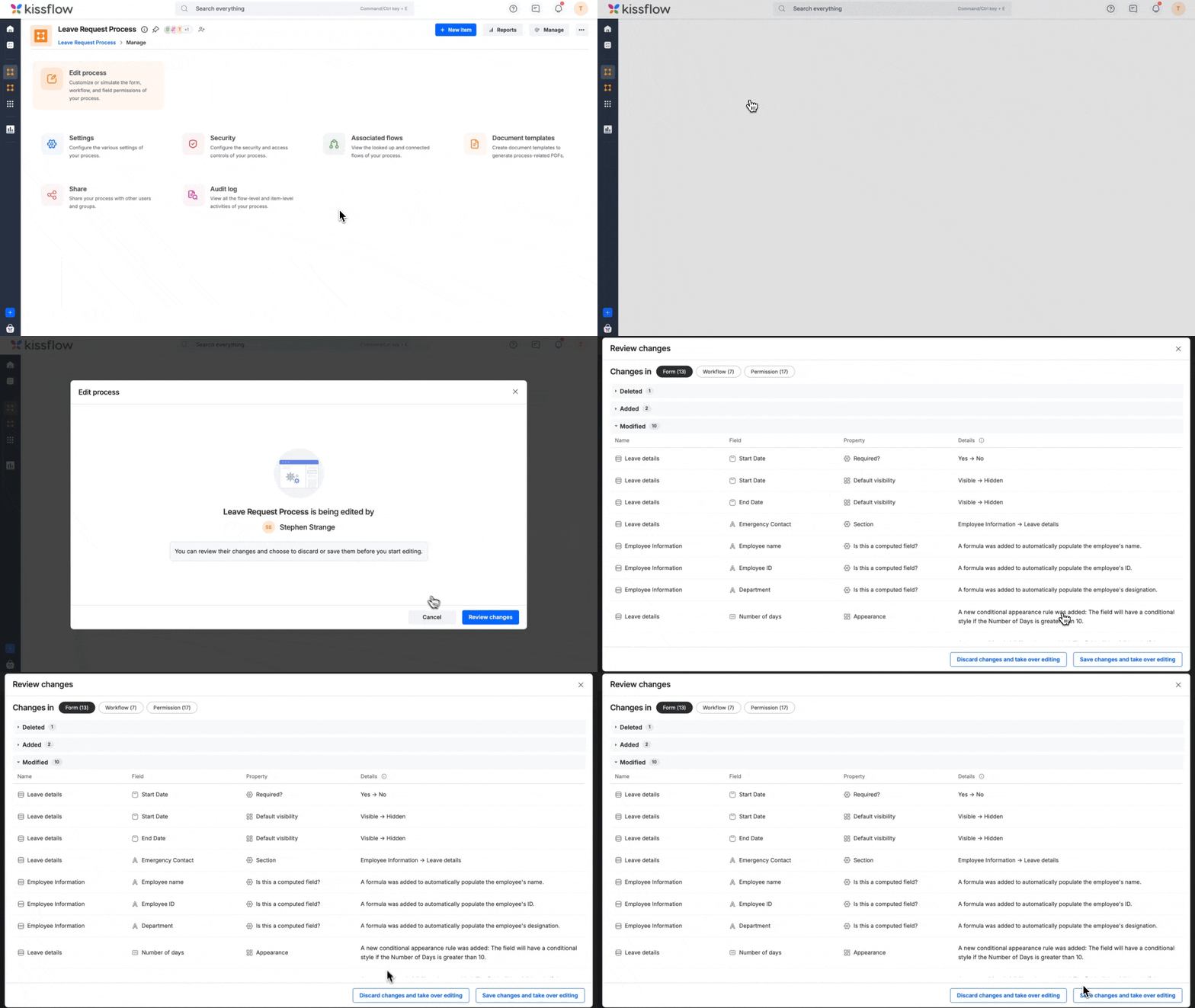
When you are taking over editing from another user, you’ll first have to review the changes after the last published version to:
Go live with changes - Publish the process and make all reviewed changes available for your users.
Discard changes - If you decide not to keep the updates, you can discard all changes made after the last published version. This action removes all draft edits and restores the process to its previously published state.