
The all-new Files panel is here!
Reviewing complex workflows shouldn't feel like a scavenger hunt. When attachments are buried in different sections, you spend more time scrolling instead of focusing on the decision at hand.
That changes today.
We are thrilled to announce that the Files panel is now live! It's a dedicated space designed to streamline your review and approval process instantly.
Why you should try it:
- Centralized hub: Find every attachment in one consolidated panel, categorized section-wise.

For items with many attachments, you can search by field name to narrow down the list and find exactly what you need.
- Seamless previewing: Navigate through files one after the other using our built-in viewer without ever leaving the form.

If you need more context, click View field in form icon right next to your attachment to instantly jump to the specific field where the file is attached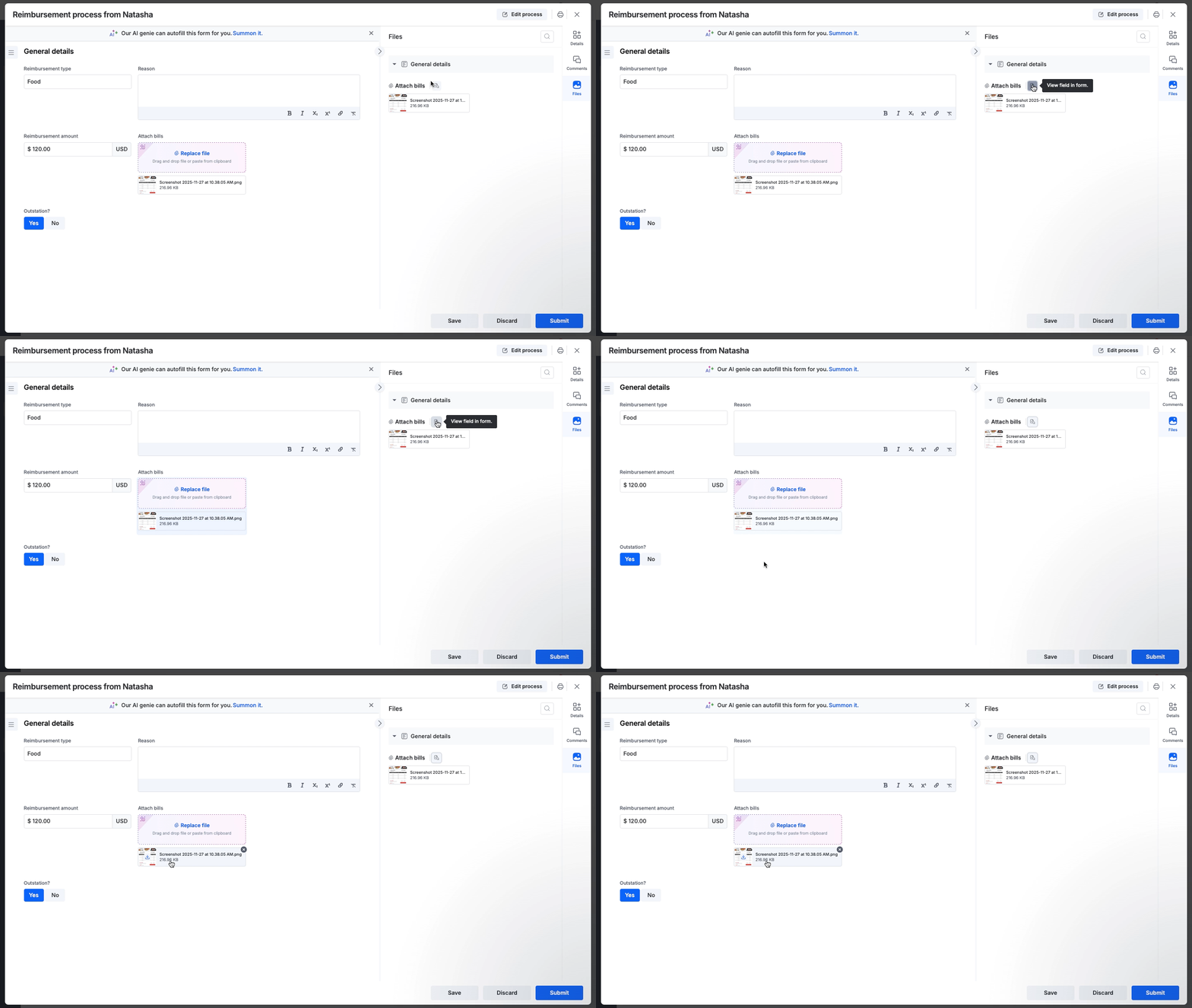
Smart permissions: The panel automatically adheres to your workflow settings. If a field is hidden at a specific step, its attachments will not be shown in the Files panel.
Available everywhere: Access the panel on any item, whether it's a Draft, In Progress, Rejected, or Completed workflow.
Availability and support
This feature is available to users on all Kissflow plans and accessible across the platform and Apps for Process, Board, and Dataform.
For more information on using this feature, refer to our help documentation. If you have any questions, please feel free to leave a comment below or contact our customer support team.
Content aside
-
11
Likes
- 10 mths agoLast active
- 4Replies
- 217Views
-
4
Following